Quick answer: Common Laptop Screw Diameters
- M2 screws (2mm diameter, 0.4mm thread pitch) represent the most common size in ultrabooks and compact laptops.
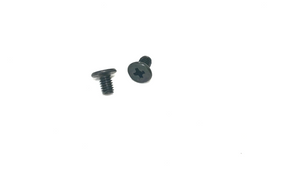
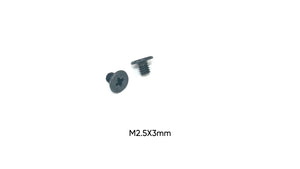
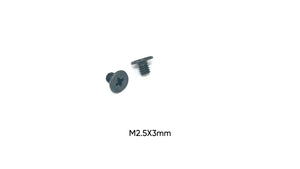
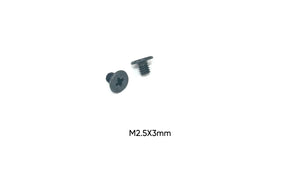
- M2.5 screws (2.5mm diameter, 0.45mm thread pitch) appear in standard laptops and larger models where components require more robust fastening.
- M3 screws (3mm diameter, 0.5mm thread pitch) secure heavy components like hinges, large heat sinks, and structural reinforcements.
- Gaming laptops and mobile workstations use M3 screws more frequently than ultrabooks due to their larger size and heavier components.
Laptop screw size charts provide reference information for the various metric fasteners used throughout laptop construction, from motherboard mounting to hinge attachment. Understanding which screw sizes correspond to specific components helps technicians and DIY repair enthusiasts select correct replacements and avoid damaging delicate laptop assemblies.
Individuals search for laptop screw size charts when performing repairs, organizing removed screws during disassembly, or ordering replacement hardware. The variety of screw sizes within a single laptop makes reference charts valuable for ensuring correct reassembly.
Common Laptop Screw Diameters
M2 screws (2mm diameter, 0.4mm thread pitch) represent the most common size in ultrabooks and compact laptops. These screws secure motherboards, internal shields, small brackets, and lightweight components. The small diameter minimizes weight and maximizes internal space utilization.
M2.5 screws (2.5mm diameter, 0.45mm thread pitch) appear in standard laptops and larger models where components require more robust fastening. These screws handle motherboard mounting in full-size laptops, drive bay retention, and structural assemblies subjected to moderate stress.
M3 screws (3mm diameter, 0.5mm thread pitch) secure heavy components like hinges, large heat sinks, and structural reinforcements. Gaming laptops and mobile workstations use M3 screws more frequently than ultrabooks due to their larger size and heavier components.
Screw Length Ranges by Application
Motherboard mounting screws typically measure 3mm to 5mm in length for M2 sizes and 4mm to 6mm for M2.5 sizes. These screws thread into brass standoffs or directly into threaded inserts in the bottom case, requiring lengths that provide adequate engagement without excessive protrusion.
Bottom case screws securing the laptop's base panel range from 3mm to 8mm depending on case thickness and reinforcement. Perimeter screws are often shorter (3mm to 5mm) while screws near structural elements may reach 6mm to 8mm.
Hinge screws measure 4mm to 8mm for display-side mounting and 5mm to 10mm for base-side mounting. The longer base-side screws must penetrate through the bottom case and engage metal reinforcement plates that distribute hinge stress.
Drive mounting screws for 2.5-inch hard drives and SSDs typically measure M3 x 3mm to M3 x 5mm. The screws thread directly into the drive's mounting holes, requiring precise length to avoid damaging drive internals.
Head Style Distribution
Phillips pan head screws dominate laptop construction, accounting for approximately 80% of fasteners in consumer laptops. The PH0 and PH00 drive sizes accommodate M2.5/M3 and M2 screws respectively.
Torx screws appear in premium laptops and business-class models, particularly for securing critical components. T5 and T6 sizes are most common, offering better torque transfer and mild tamper resistance.
Flat head (countersunk) screws create flush surfaces in visible areas or where clearance is critical. These screws require countersunk holes and measure from the top of the head rather than the underside.
Screw Identification by Location
Bottom case screws are typically the first removed during disassembly. Count and photograph these screws before removal, as laptops often use 3-5 different lengths in various positions. Perimeter screws are usually shorter than central screws.
Keyboard screws, when accessible from the bottom, typically measure M2 x 3mm to M2 x 4mm. Some laptops secure keyboards from the top, requiring different disassembly procedures.
Palmrest and top case screws vary widely by model but generally measure M2 x 3mm to M2.5 x 5mm. These screws may be hidden under rubber feet, labels, or warranty seals.
Internal component screws securing WiFi cards, SSDs, and other modules typically measure M2 x 3mm. The short length prevents damage to components beneath mounting surfaces.
Measurement and Verification
Digital calipers provide accurate diameter measurement. Measure across the screw threads at the widest point—M2 measures 2.0mm, M2.5 measures 2.5mm, M3 measures 3.0mm.
Length measurement depends on head style. For pan and button heads, measure from directly under the head to the tip. For countersunk heads, measure from the top of the head.
Thread pitch gauges confirm screw type when diameter measurements fall within tolerance ranges. M2 screws have 0.4mm pitch (2.5 threads per mm), M2.5 have 0.45mm pitch (2.2 threads per mm), M3 have 0.5mm pitch (2 threads per mm).
Organization During Disassembly
Create a screw map by drawing the laptop outline and marking screw positions with length notations. This visual reference prevents confusion during reassembly when multiple screw lengths are used.
Use compartmented containers with labels for each laptop section—bottom case, motherboard, hinges, drives. Keep screws from each area separate to avoid mixing sizes.
Photograph each disassembly stage showing screw locations. Digital photos provide quick reference during reassembly and help identify which screws belong in which positions.
Common Size Combinations
Ultrabooks typically use primarily M2 screws in lengths from 3mm to 6mm, with occasional M2.5 screws for hinges or structural points. The emphasis on weight reduction drives the use of smaller fasteners.
Standard consumer laptops mix M2 and M2.5 screws, using M2 for motherboards and light components, M2.5 for case assembly and drives. Screw lengths range from 3mm to 8mm.
Gaming laptops and mobile workstations employ all three sizes—M2 for motherboards, M2.5 for general assembly, M3 for hinges, heat sinks, and structural elements. Length ranges extend from 3mm to 12mm.
Replacement Screw Selection
Match diameter, thread pitch, and length exactly when replacing laptop screws. Using M2.5 screws in M2 holes strips threads, while M2 screws in M2.5 holes provide inadequate retention.
Head style substitution is possible if the replacement fits available clearance. A pan head screw can replace a button head screw of the same diameter and length, though the head profile differs.
Material should match or exceed original specifications. Steel screws with zinc plating suit most applications. Stainless steel offers corrosion resistance for laptops used in humid environments.
Manufacturer Variations
Different laptop manufacturers favor different screw combinations. Some brands use primarily M2 screws across all models, while others mix sizes more freely based on component requirements.
Business-class laptops often use more Torx screws than consumer models, requiring T5 and T6 drivers in addition to Phillips drivers.
Older laptops may include imperial screws (particularly 6-32 for drive mounting) mixed with metric screws. Always verify thread type before assuming metric sizing.
Preventing Installation Errors
Never force screws that resist threading. Resistance indicates wrong size, cross-threading, or debris in the threaded hole. Back out and verify screw specifications.
Avoid over-tightening, which strips threads in plastic mounting posts or brass inserts. Laptop screws require minimal torque—tighten until snug, then add only a quarter turn.
Use magnetic screwdrivers to retain small screws during installation, preventing drops into the laptop chassis where recovery is difficult.
Conclusion
Laptop screw size charts provide essential reference for the M2, M2.5, and M3 screws used throughout laptop construction. Understanding which sizes correspond to specific components, proper measurement techniques, and organization strategies ensures successful disassembly and reassembly. Accurate screw identification and careful installation prevent the thread damage and assembly errors that complicate laptop repairs.