Quick answer: Understanding Screw Sizes
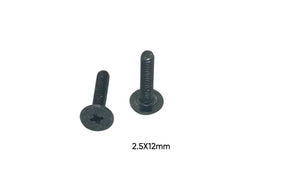
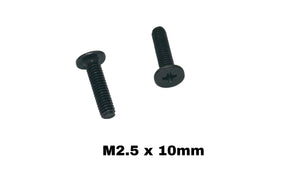
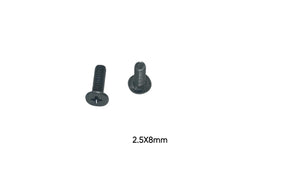
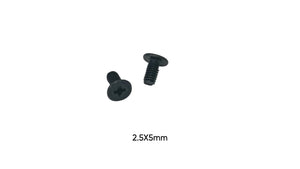
- M2.5 Screws: The most common size for laptop bottom covers.
- M3 Screws: Used on larger laptops and gaming notebooks where additional strength is needed.
Why Bottom Case Screws Matter
Your laptop's bottom case screws are more important than you might think. They secure the base cover, protect internal components, and maintain structural integrity. Using the wrong screws can crack the chassis or leave your laptop vulnerable to damage.
Understanding Screw Sizes
M2.5 Screws
The most common size for laptop bottom covers. These screws provide excellent holding power without risking chassis damage.
M3 Screws
Used on larger laptops and gaming notebooks where additional strength is needed. Common on corner mounting points.
Installation Guide
Preparation:
- Power down completely and disconnect the battery if possible
- Work on a soft, clean surface to prevent scratches
- Take a photo of screw locations before removal - they're often different lengths
Installation Process:
- Start with corner screws first to align the cover properly
- Work in a star pattern to distribute pressure evenly
- Tighten screws gradually - don't fully tighten one before starting others
- Final pass: ensure all screws are snug but not over-torqued
Common Repair Scenarios
Stripped Screw Holes: If a screw spins freely, the chassis threads may be damaged. Consider using a slightly larger screw or thread repair techniques.
Missing Screws: Never leave screw holes empty - this creates stress points that can crack the chassis over time.
Upgrade Access: Bottom case removal is required for RAM upgrades, SSD installation, and battery replacement.
Product Selection Tips
- Measure thread length carefully - too long can damage internal components
- Match the head style (Phillips, Torx, or flat) to your laptop
- Consider buying a complete screw set for your laptop model
- Black oxide screws match most laptop aesthetics better than silver
Compatibility & Brand-Specific Notes
Dell: Often uses a mix of M2.5 screws in varying lengths. XPS models may use Torx screws.
HP: Typically M2.5 throughout. Business models (EliteBook) often use security screws.
Lenovo: ThinkPads use consistent M2.5 sizing with excellent documentation.
ASUS: Gaming laptops may use M3 screws for added durability.
Acer: Generally M2.5 with some models using captive screws that don't fully remove.