Quick answer: Common Screw Sizes
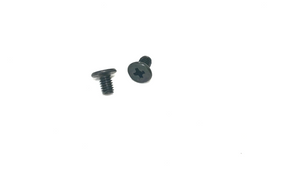
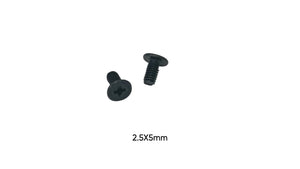
- M2.5 Screws (8-12mm length): Standard for most consumer laptops.
- M3 Screws (10-15mm length): Used on larger laptops and workstations where hinge assemblies are heavier.
The Critical Role of Hinge Screws
Laptop hinge screws endure more stress than any other fastener in your device. Every time you open or close your laptop, these screws bear the full force of the hinge mechanism. When they fail, your screen becomes loose, wobbly, or completely detached.
Why Hinge Screws Fail
- Repeated stress: Opening and closing creates constant tension
- Over-tightening: Attempting to fix a loose hinge by over-tightening strips threads
- Poor quality replacements: Soft metal screws strip easily under hinge pressure
- Chassis wear: Plastic screw bosses can crack over time
Common Screw Sizes
M2.5 Screws (8-12mm length)
Standard for most consumer laptops. Longer than typical internal screws to reach through hinge brackets.
M3 Screws (10-15mm length)
Used on larger laptops and workstations where hinge assemblies are heavier.
Installation Guide
Assessment Phase:
- Inspect screw holes for damage or stripped threads
- Check if the chassis mounting point is cracked
- Verify hinge bracket alignment before installing screws
Installation Steps:
- Position the hinge bracket carefully - misalignment causes immediate failure
- Start all screws by hand to ensure proper threading
- Use a quality screwdriver that fits precisely
- Tighten in small increments, alternating between screws
- Stop when snug - hinge screws should be tight but not maximum torque
Common Repair Scenarios
Loose Hinge: Often caused by screws backing out over time. Remove, apply threadlocker, and reinstall.
Stripped Screw Holes: May require helicoil inserts or epoxy repair before new screws will hold.
Broken Hinge Bracket: Screws alone won't fix this - the bracket must be replaced first.
Cracked Chassis: The most serious issue. May require professional repair or chassis reinforcement.
Product Selection Tips
- Choose hardened steel screws for maximum durability
- Verify exact length - too short won't hold, too long damages components
- Consider screw kits that include multiple lengths for testing
- Keep spares on hand - hinge repairs often require multiple attempts
- Blue threadlocker can prevent screws from backing out
Brand-Specific Compatibility
Dell: Latitude and Precision models use robust M3 screws. Inspiron typically uses M2.5.
HP: EliteBook hinges are well-engineered with M2.5 screws. Pavilion models more prone to failure.
Lenovo: ThinkPad hinges are legendary for durability, using quality M2.5 screws with metal mounting points.
ASUS: Consumer models may use plastic screw bosses that wear over time.
Acer: Budget models particularly susceptible to hinge screw failure.
Prevention Tips
- Open your laptop from the center, not a corner
- Don't force the screen past its natural stopping point
- Periodically check hinge screws for tightness
- Address loose hinges immediately before damage worsens