Quick answer: Most laptops use metric M2, M2.5 and M3 screws. M2 holds SSDs/NVMe drives and Wi-Fi cards, M2.5 holds the bottom case and motherboard, and M3 holds 2.5-inch drive caddies and hinges. Most are Phillips-head; some chassis and hinges use Torx (T5/T8), and MacBooks use Apple's Pentalobe. Need your exact size? See the laptop screw size chart by brand.
There’s a unique, sinking feeling that comes with seeing a tiny, unfamiliar screw lying on your desk after you’ve just put your laptop back together. Where did it come from? Is it important? Don’t worry, you’re not alone. Understanding laptop screws is a rite of passage for anyone who dares to peek inside their machine. These aren't just any old fasteners; they are precision-engineered components crucial for the integrity of your device. Knowing the different types, sizes, and their specific jobs is the first step in any successful laptop repair or upgrade, and this guide is here to demystify it all.
What Are Laptop Screws and Why Are They Special?
At their core, laptop screws are tiny fasteners used to hold together the various components of a laptop, from the outer casing to the internal motherboard, hard drive, and keyboard. What makes them "special" is their lack of standardization across brands and even models. A screw from a Dell Inspiron is likely not going to work in a MacBook Pro.
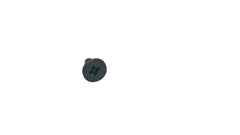
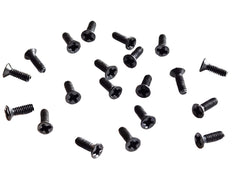
This variation is due to the constant push for thinner and lighter designs. Manufacturers use custom-sized screws to save every possible millimeter. Most modern laptop screws are made from durable materials like carbon steel, often with a black oxide finish to prevent corrosion and blend in with the device's aesthetics. Many of our precision fasteners, like the versatile M2 Phillips Flat Head Machine Screws, are crafted from this very material, ensuring a reliable and long-lasting fit for a variety of electronic repairs.
The Anatomy of a Laptop Screw: Heads, Drives, and Threads
To find the right screw, you need to speak the language. Laptop screws are primarily defined by three characteristics: the head, the drive, and the threading. Getting any one of these wrong can lead to an improper fit or, worse, damage to your device.
Screw Heads: Flat vs. Pan
The head of the screw is the top portion where the screwdriver engages. In laptops, you'll almost exclusively encounter two types:
- Flat Head: These have a flat top and a tapered, conical shape underneath. This design allows the screw to sit perfectly flush with the surface, which is essential for the smooth, seamless exteriors of modern laptops.
- Pan Head: These have a slightly rounded top and a flat bottom. They don't sit flush but provide good clamping force. You might find them securing internal components where a flush surface isn't necessary.
Screw Drives: Phillips vs. The World
The drive is the pattern on the screw head that your screwdriver fits into. While there are many types, a few dominate the laptop world.
- Phillips Head: This is by far the most common type, identifiable by its cross shape. It's a versatile and reliable standard used for everything from case panels to internal components.
- Torx Drive: Sometimes called a "star drive," this has a six-pointed star pattern. It offers better torque transfer and is less prone to stripping than a Phillips head. You'll often find Torx screws (like T5 or T8) securing chassis, hinges, and other high-stress components.
- Pentalobe: This is Apple's proprietary five-pointed screw, notoriously used to keep users out of their MacBooks and iPhones. You'll need a special Pentalobe screwdriver to deal with these.
Understanding Thread Size (e.g., M2, M2.5, M3)
This is the most critical part. The thread size is a standard metric notation that tells you the screw's diameter and, indirectly, its threading. It's formatted as "M[diameter] x [length]."
- The "M" simply stands for metric.
- The number after "M" is the nominal outer diameter of the screw threads in millimeters (mm). So, an M2 screw has a 2mm diameter, and an M2.5 screw has a 2.5mm diameter. These are not interchangeable!
- The number after the "x" is the length of the screw shaft in millimeters, from the bottom of the head to the tip.
For example, a screw labeled "M2 x 4mm" is a metric screw with a 2mm diameter and a 4mm length. Using a screw that is too long can press into and damage components underneath, while a screw that is too short won't properly secure the part.
Common Laptop Screw Sizes and Where They're Used
While sizes vary, a few common metric sizes appear again and again in most PC laptops. Having a grasp of these will help you identify what you're looking at when you open your device. Here’s a quick-reference table for the most common laptop screws and their typical applications.
| Screw Size | Common Use Case | Example |
|---|---|---|
| M2 Screws | SSD/NVMe drives, Wi-Fi cards, some keyboard models, and motherboard standoffs. | Our M2 x 4mm Phillips screws are perfect for SSD mounting. |
| M2.5 Screws | Bottom case/chassis, motherboard mounting, and some larger components. | Certain Dell models use these, like the M2.5 x 5mm screws for the Dell Inspiron 3535 case. |
| M3 Screws | Larger components like hard drive caddies and screen hinges. | Commonly found securing 2.5-inch HDDs. |
Remember, this is a general guide. Always confirm the exact size needed for your specific laptop model before proceeding with a repair.
How to Find the Right Laptop Screws for Your Repair
So you've lost a screw, or you've stripped one and need a replacement. How do you find the exact one you need? Here is a step-by-step process to ensure you get the right fit.
- Consult Your Laptop's Service Manual: This is the absolute best source of information. Most manufacturers (like Dell, HP, Lenovo) provide detailed service manuals on their support websites. These documents list every component and, crucially, specify the size and type of every single screw.
- Carefully Measure an Existing Screw: If you have an identical screw from another hole, you can measure it. You'll need a pair of digital calipers for accuracy. Measure the diameter of the threads (this gives you the "M" number) and the length from the base of the head to the tip.
- Keep Screws Organized During Disassembly: The easiest way to not lose screws is to have a system. Use a magnetic mat or a pill organizer to keep the screws from each step separate. Label them! This simple step can save you a massive headache.
- Check Reputable Online Suppliers: Once you know the size, you need a place to buy it. A specialized supplier is your best bet for finding high-quality, specific fasteners. At Tech Spare Warehouse, we stock a huge variety of components for your DIY projects.
Common Mistakes to Avoid (The "Oops" Moments)
Working with tiny screws can be frustrating, and a single mistake can sometimes be costly. Here are some common pitfalls to watch out for:
- Using the Wrong Size Screwdriver: Using a Phillips #1 bit on a #0 screw head is a recipe for disaster. It won't seat properly and will likely strip the drive, making the screw nearly impossible to remove. Always match your bit to the drive.
- Over-tightening: More is not better. Tighten screws until they are just snug. Over-tightening can strip the threads on the screw or, far worse, strip the threaded post it screws into, which is often part of the laptop's plastic frame.
- Using a Screw That's Too Long: This is the most dangerous mistake. A screw that is even 1mm too long can press against the motherboard or other sensitive electronics beneath it, potentially cracking the circuit board and killing your device.
- Working in a Messy Environment: A single sneeze can send your carefully sorted screws flying into the void. Work on a clean, flat surface with good lighting and use a magnetic tray to keep everything secure.
Where to Buy High-Quality Laptop Screws
Now that you know how to identify the laptop screws you need, the next question is where to get them. While a local hardware store is unlikely to have these specialized sizes, we have you covered. At Tech Spare Warehouse, we specialize in providing the exact parts you need for your repairs.
For general-purpose repairs, especially involving storage upgrades, our M2 x 4mm Phillips Flat Head Screws for SSD Mounting are an industry-standard choice you can rely on. If you're working on a specific model, we often carry direct replacements, such as these M2.5 x 5mm screws designed for the Dell Inspiron 3535 case.
For hobbyists and repair enthusiasts who work on a variety of electronics, having a versatile set of fasteners is essential. Our general-purpose M2 x 4mm Phillips Flat Head Machine Screws (50-Pack Electronics Repair Kit) are perfect for a wide range of projects, from laptops to niche electronics like mechanical keyboards. For instance, these M2 x 4mm screws are a perfect fit for the Wooting 80HE keyboard.
And remember, it's not always about the screws. Sometimes a small, targeted replacement is all you need to save a device. Instead of replacing an entire keyboard assembly due to one broken key, you might just need an individual laptop keyboard keycap replacement. Small parts can make a big difference!
Your Go-To Source for Laptop Repair
Mastering the world of laptop screws is a valuable skill for any tech enthusiast. It transforms a potentially stressful repair into a manageable and satisfying project. Taking the time to identify the correct screw size and type is non-negotiable for protecting the longevity and integrity of your device. With the right knowledge and the right tools, you can confidently tackle any upgrade or repair. For all your repair needs, from the most specific laptop screws to a wide range of electronic components, explore our full inventory at Tech Spare Warehouse.
Frequently Asked Questions
What are the most common laptop screw sizes?
The most common laptop screw sizes are M2, M2.5, and M3. M2 screws are often used for small components like SSDs and Wi-Fi cards, while M2.5 and M3 screws are typically used for the main chassis, motherboard, and larger components like hard drive caddies.
Can I use any small screw in my laptop?
No, you absolutely should not. Using a screw that is the wrong size, length, or thread pitch can cause significant damage. A screw that's too long can puncture the battery or crack the motherboard, while the wrong diameter can strip the threading in the post.
What's the difference between M2 and M2.5 screws?
The number refers to the diameter of the screw's thread in millimeters. An M2 screw has a 2mm thread diameter, while an M2.5 screw has a 2.5mm thread diameter. They are not interchangeable, as an M2.5 screw will not fit in an M2 hole.
How do I know what screws my laptop uses?
The best method is to check your laptop’s official service manual, which is usually available on the manufacturer's support website. These manuals provide detailed diagrams and list the exact size and quantity of every screw in the device.
What tool do I need to remove laptop screws?
You will need a precision screwdriver set that includes multiple sizes of Phillips and Torx bits, as these are the most common drive types. A set with magnetic tips is highly recommended to prevent losing the tiny screws.
What happens if I use a screw that's too long?
Using a screw that is too long is very dangerous for your laptop. It can press against internal components, such as the motherboard or battery, potentially causing cracks, short circuits, or irreparable damage to the sensitive electronics.
Where can I buy individual laptop screws?
You can buy individual and specific sets of laptop screws from specialized electronic component suppliers like Tech Spare Warehouse. We stock a wide variety of sizes and types for different laptop models and repair needs.
Get the complete kit: doing a full teardown? Our laptop screw kits bundle the common sizes for Dell XPS, Dell Inspiron / Latitude / Precision, Alienware, Acer Nitro 5, school Chromebooks (ThinkPad X131e, HP Fortis 14 G11) and Unibody MacBook Pro in one order, plus an M.2 SSD install kit.