The Ultimate Guide to Individual Replacement Keyboard Keys: A Technician’s Guide to Laptop Key Repair
A single missing or broken key can render an otherwise perfect laptop frustratingly difficult to use. Whether you are dealing with a "sticky" key caused by a spill, a keycap that has snapped off its hinge, or a letter that simply won't register anymore, the solution isn't always to replace the entire keyboard assembly. In many cases, replacing the individual component is a cost-effective, environmentally friendly, and relatively simple DIY project. At TechspareWarehouse, we specialize in providing the exact parts needed to restore your keyboard to its original functionality without the high cost of a full hardware replacement.
This comprehensive guide is designed to provide you with high-level technical insight into the world of replacement keyboard keys. We will explore the anatomy of a keyboard, how to identify your specific components, and the step-by-step process for performing a professional-grade repair at home. By understanding the mechanics behind your keys, you can save time and money while ensuring your device remains in peak condition.
What Are Replacement Keyboard Keys?
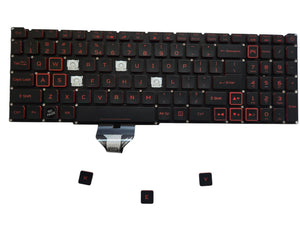
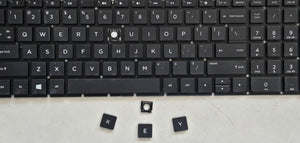
To the average user, a "key" is simply the plastic square they press to type. However, a laptop key is actually a complex assembly of several precision-engineered parts working in unison. When you look for a replacement key for keyboard repair, you are typically looking for one of three specific components, or a combination of them:
- The Keycap: This is the visible plastic cover with the letter or symbol printed on it. It provides the tactile surface for your fingertips.
- The Hinge (Retainer Clip): This is the "scissor" mechanism located underneath the keycap. It is usually made of two interlocking plastic pieces that allow the key to move up and down evenly. The hinge retainer clip is the most critical part to match, as there can be multiple versions of hinges for the exact same laptop model.
- The Silicone Nipple (Cup): This is the rubber spring that provides the "bounce" and makes contact with the keyboard circuit board to register a keystroke.
Every keycap listing in our keyboard key replacement collection includes the matching hinge clip, so you get both critical parts in one order.
Laptop keyboards use a "scissor-switch" design to maintain a slim profile. This differs significantly from the replacement mechanical keyboard keys found on desktop gaming keyboards, which utilize larger plastic housings and physical metal springs. Because laptop keys are so miniaturized, the keyboard key compatibility is extremely strict. A key from a Dell Inspiron 15 5000 series might look identical to a key from a Dell Latitude, but if the hinge mounting points differ by even a fraction of a millimeter, the key will not snap into place.
How to Identify and Name Keyboard Keys Correctly
Before you can order a replacement, you must be able to accurately name keyboard keys to ensure you receive the correct part. Keyboard layouts vary by region (such as US English QWERTY vs. UK English) and by device type. Accuracy in naming is the first step toward a successful repair.
Standard alphanumeric keys are easy to identify, but "specialty" keys require more attention. For example, the "Shift" key on the left side of the keyboard is often a different size than the "Shift" key on the right. Similarly, arrow keys can be full-sized or "half-height" depending on the laptop brand. When searching for parts, specify if you need the spacebar, the enter key, or specific function keys (F1-F12).
At TechspareWarehouse, we recommend that users also identify the "row" the key belongs to. On many keyboards, the profile or slant of a keycap changes depending on whether it sits on the top row (numbers) or the bottom row (spacebar area). Providing the specific name and location of the key helps technicians verify that the laptop keycap replacement you receive will sit flush with the rest of your board.
Replacement Mechanical Keyboard Keys vs. Laptop Keycaps
It is important to distinguish between the two primary types of keyboard technologies, as their replacement parts are not interchangeable. Replacement mechanical keyboard keys are generally used for desktop peripherals. These keys use a standardized "cross-shaped" stem (often referred to as MX-style) which makes them easy to swap for custom aesthetics. They are durable, deep-travel, and universal across many brands.
In contrast, laptop keycap replacement parts are highly proprietary. Laptops prioritize thinness, meaning the mounting clips are incredibly delicate. While a mechanical key can often be pulled off with a simple tool, a laptop key requires a specific technique to avoid snapping the broken keyboard hinge. Furthermore, while you can buy "universal" sets for mechanical keyboards, there is no such thing as a universal laptop key. Every brand—from Apple to Lenovo—uses different suppliers who design unique hinge mechanisms for every product cycle.
Removing Keyboard Keys From a Laptop Safely
The most common cause of a broken keyboard hinge is improper removal. If you need to clean under a key or prepare for a replacement, follow these professional steps for removing keyboard keys laptop safely:
- Use the Right Tool: Avoid using a flathead screwdriver, which can apply too much pressure and crack the plastic. A specialized plastic pry tool or a thin pair of tweezers is preferred.
- Identify the Hinge Orientation: Most laptop hinges are designed to unclip from the top first. Gently insert your tool under the top edge of the keycap and apply slight upward pressure until you hear a small "click."
- Support the Hinge: As the keycap lifts, use your other hand to hold the white or black plastic hinge mechanism down against the keyboard. You want the keycap to detach from the hinge, but you want the hinge to stay attached to the laptop's metal baseplate.
- Slide, Don't Pull: Once the top clips are free, the bottom of the keycap usually slides out of a hook. Do not pull straight up, or you risk bending the tiny metal tabs on the keyboard itself.
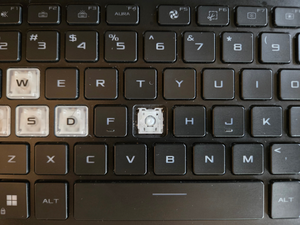
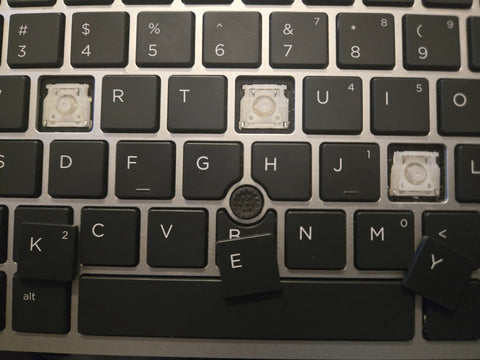
If you find a missing laptop key has already exposed the hinge, check to see if the plastic "arms" of the scissor mechanism are still intact. If they are broken or twisted, you will need to replace the hinge as well as the cap.
How to Repair a Broken Laptop Key Without Replacing the Whole Keyboard
Many users assume that a loose key means they need an entirely new $100 keyboard and a $150 labor fee at a repair shop. However, you can repair keyboard key laptop issues for a fraction of that cost. The secret lies in "hinge matching."
Because manufacturers like Dell or HP use multiple different factories to produce the same keyboard model, the internal hinges might differ even if the laptops look identical from the outside. To repair a key, you must visually compare your hinge retainer clip to the photos in our collection. Look for the location of the tabs and the shape of the internal cutouts.
Once you have the correct individual key replacement, the installation is the reverse of removal. Place the hinge on the metal tabs of the keyboard first, ensuring it moves freely when pressed. Then, center the keycap over the hinge and press down firmly in the center until you hear it snap into place. This simple process restores the "click" and tactile response of your keyboard instantly.
Brand Specific Replacement Key Guides
Different brands have unique engineering quirks that you should be aware of when seeking keyboard key compatibility.
Replacement Keyboard Keys Dell
Dell is known for using several different keyboard manufacturers (such as Sunrex, Darfon, or Compal) for a single model like the Latitude or XPS. When searching for replacement keyboard keys Dell, it is vital to check the hinge type. One Dell Inspiron 15 might use a hinge with a "top-locking" mechanism, while another uses a "side-locking" version. Always browse our replacement keyboard key collections and compare your hinge to our high-resolution photos before ordering.
Logitech iPad Keyboard Replacement Keys
Logitech creates high-end accessories for tablets, but these keys are often more fragile than standard laptop keys. Logitech iPad keyboard replacement keys are frequently sought after because these devices travel in bags where keys can easily snag. These keyboards often use very thin, flat scissor switches that require a delicate touch during installation.
MacBook Replacement Keycaps
Apple’s keyboard designs have evolved significantly, from the traditional scissor switch to the controversial butterfly mechanism and back to the Magic Keyboard (scissor switch). Replacing a MacBook key requires knowing exactly which year your model was produced. For example, a 2017 MacBook Pro key is entirely different from a 2021 model. We provide specific laptop keycap replacement parts for various MacBook generations to help you avoid a trip to the Genius Bar.
Common Mistakes People Make When Buying Replacement Keys
Through our years of experience at TechspareWarehouse, we have identified several recurring mistakes that lead to unsuccessful repairs. To ensure your individual key replacement works perfectly, avoid these pitfalls:
- Assuming Keys are Universal: Just because a key is from a 15-inch laptop does not mean it fits all 15-inch laptops. Parts are model-specific.
- Ignoring the Hinge Type: As mentioned, the same laptop model can have 3-4 different hinge variations. You must match the plastic clip visually.
- Replacing the Whole Keyboard for One Key: This is an expensive mistake. Individual keys are designed to be replaced.
- Forcing a Key Into Place: If the key doesn't snap in with moderate pressure, the hinge might be upside down or the tabs might not be aligned. Forcing it will result in a broken keyboard hinge.
Where to Buy Reliable Replacement Keyboard Keys
When you are looking for a replacement key for keyboard, you need a provider that understands the technical nuances of laptop hardware. TechspareWarehouse is not just a parts retailer; we are repair enthusiasts. Our inventory consists of individual replacement keys, keycaps, and hinges sourced from original keyboards or high-quality equivalent components to ensure a perfect fit and feel.
We take the guesswork out of the process by providing detailed imagery and compatibility descriptions for every part. Whether you are a professional technician or a first-time DIYer, you can see compatible laptop key replacements on our site and buy with confidence — every keycap ships with its hinge clip, and orders over $10 ship free from South Carolina, USA. We emphasize quality inspection, ensuring that every keycap and hinge we ship is free of cracks and retains its original structural integrity.
Frequently Asked Questions
Can you replace just one keyboard key? Yes. Laptop keyboards are designed so that the keycap and the hinge mechanism can be removed and replaced individually without affecting the rest of the keyboard or the internal electronics.
Are Dell keyboard keys interchangeable? No. Even within the same Dell model family, manufacturers often use different hinge designs. You must verify the specific hinge type (e.g., DC01 vs. DC03) before purchasing.
How do I know my hinge type? The best way to identify your hinge type is to remove the keycap and compare the plastic mechanism underneath to the photos on our website. Pay attention to where the plastic arms connect and the shape of the center opening.
Is it cheaper to replace keys or the keyboard? It is significantly cheaper to replace individual keys. A full keyboard replacement often requires disassembling the entire laptop, whereas a single key can be replaced in seconds from the top of the device.
Can old hinges be reused? If the hinge is not cracked or warped, it can absolutely be reused. If you only have a missing laptop keycap, you can simply snap a new cap onto your existing hinge.
Why do laptop keys fall off? Keys usually fall off due to physical stress, such as catching on a sleeve, or because the tiny plastic "feet" on the underside of the keycap have snapped due to age or heat exposure.
Are replacement keys universal? No. There is no universal standard for laptop keys. Each manufacturer and model uses a proprietary mounting system.
Do mechanical keyboard keys fit laptops? No. Mechanical keyboard keys use a stem-and-socket system that is much too tall for the slim profile of a laptop. Laptops require specific scissor-switch keycaps.