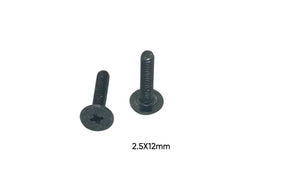
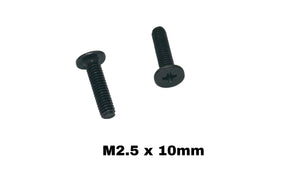
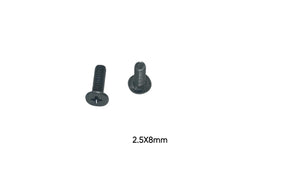
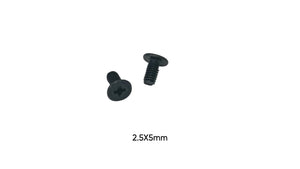
“How tight should laptop screws be?” is the question nobody asks until they've cracked a bottom cover or stripped a brass insert. Laptop screws need dramatically less torque than most people apply — here's the practical guide.
The Golden Rule: Snug, Then Stop
Laptop screws thread into either brass inserts embedded in plastic, or thin tapped metal. Both strip easily. The correct technique: drive the screw until it seats (you feel it stop), then add at most an eighth of a turn. If you're using forearm muscle, you've gone too far.
Torque by Screw Size
For reference, typical specs for laptop fastener sizes: M1.2–M1.6 micro screws: 0.02–0.05 N·m — fingertip pressure on a small driver, nothing more. These secure connectors, LCD shells and micro components. M2 screws: 0.08–0.15 N·m — the most common laptop size, used for motherboards, SSDs and batteries. M2.5 screws: 0.15–0.25 N·m — bottom covers and hinges. M3 screws: 0.3–0.5 N·m — hard drive bays and caddies. You don't need a torque driver to hit these numbers — you need to stop at “snug.”
The Two Ways Overtightening Kills Laptops
Cracked bosses: the plastic towers that hold brass inserts split under excess torque, and then that screw never holds again. Pulled inserts: the brass insert spins out of the plastic entirely — a repair that requires epoxy and patience. Both are permanent damage caused by half a second of extra effort.
Screw Length Matters as Much as Torque
A screw 1mm too long can bottom out and pierce a battery or board even at correct torque. This is why we list exact lengths on every product and why mixing up bottom cover screws (long) with internal screws (short) is the most common self-repair mistake. Sort screws by hole as you disassemble — an ice cube tray works perfectly.
If a Screw Won't Tighten Anymore
If a screw spins freely, the insert or threads are stripped. A drop of thread locker can save a marginal insert; a properly sized fresh screw fixes worn screw threads. Identify what you need with the Screw Size Finder Tool, check your machine's exact sizes in our model-by-model screw guides, or grab a complete screw kit for your laptop family. Every screw we sell lists thread, length and head type so “snug” lands exactly where it should.