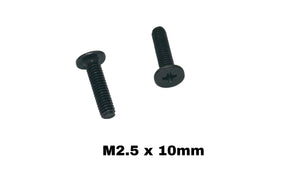
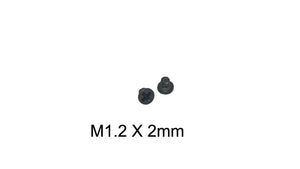
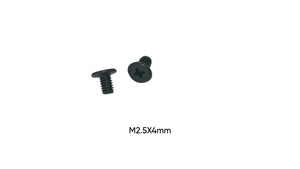
A stripped laptop screw turns a 10-minute repair into an hour of frustration. The good news: with the right technique, nearly every stripped screw comes out without damaging your laptop. Here are the methods that actually work, in the order you should try them.
Why Laptop Screws Strip
Laptop screws strip for three reasons: using the wrong driver size (a PH1 in a PH0 head), applying pressure at an angle, and reusing screws whose heads were already worn. Laptop screws are small — mostly M2 and M2.5 thread sizes with shallow Phillips heads — so there's very little metal for the driver to grip. Prevention rule: press down firmly, turn slowly, keep the driver perfectly vertical.
Method 1: The Rubber Band Trick (works 60% of the time)
Lay a wide rubber band flat over the stripped head, press your driver into it firmly, and turn slowly. The rubber fills the stripped gaps and adds grip. Use steady downward pressure — most of your force should push down, not rotate.
Method 2: Step Up a Driver Size
If the head is partially stripped, a driver one size larger (or a flathead that fits snugly across the damaged recess) can bite into remaining material. Combine with the rubber band for best results.
Method 3: Super Glue a Spare Driver Bit
For fully rounded heads: put a tiny drop of super glue on the tip of a cheap driver bit, press it into the head, hold 60 seconds, wait 10 minutes, then turn slowly. The bond usually breaks after removal — which is why you use a bit you don't love.
Method 4: Left-Handed Drill Bits or Screw Extractors (last resort)
Micro screw extractor sets exist for M2-class screws, but on a laptop chassis the risk of slipping into the motherboard is real. If you reach this point on a screw over a critical component, consider stopping and taking it to a repair shop.
After It's Out: Never Reuse a Stripped Screw
A stripped screw will strip again — and next time it might not come out. Replace it with a fresh exact-size screw. If you're not sure what size just came out, our free Screw Size Finder Tool identifies it from measurements, or find your machine in the Screws by Laptop Model guides and buy the exact replacement for a couple of dollars. For multi-screw teardowns, our complete screw kits replace every size at once.
Prevention Checklist
Use a quality PH0/PH00 driver set, press down with 70% of your force, work on a flat surface, sort screws by hole location as you remove them, and replace any screw with visible head wear. Your future self will thank you.