Dell Latitude 3480 screw size
M1.6 / M2 / M2.5 / M3 · 2 to 8.5 mm long
Our records put Dell Latitude 3480 on M1.6, M2, M2.5 and M3 screws in lengths from 2 to 8.5 mm.
There are 15 separate fitment records for it, including display (qty 6) (M1.6), battery (qty 4) (M2) and display (qty 1) (M2), plus 12 more in the table below.
15 of the 15 records are marked confirmed, drawn from 1 source (dl.dell.com).
An M1.6 screw is 1.6 mm in diameter with a 0.35 mm pitch, tapped with a 1.25 mm drill; imperial look-alike: #1-72 UNF (1.85 mm) is larger; there is no true imperial equivalent.
Dell Latitude 3480 screw specifications
One row per fitment record. Head, drive are shown only where the source states them; pitch is the ISO coarse pitch for the thread.
| Thread | Length | Pitch | Head | Drive | Where it goes | Status |
|---|---|---|---|---|---|---|
| M1.6 | 2 mm | 0.35 mm | not stated | not stated | Display (qty 6) | Confirmed |
| M2 | 3 mm | 0.4 mm | not stated | not stated | Battery (qty 4) | Confirmed |
| M2 | 3 mm | 0.4 mm | not stated | not stated | Display (qty 1) | Confirmed |
| M2 | 3 mm | 0.4 mm | not stated | not stated | Fan (qty 2) | Confirmed |
| M2 | 3 mm | 0.4 mm | not stated | not stated | Hard drive (qty 2) | Confirmed |
| M2 | 3 mm | 0.4 mm | not stated | not stated | Power button (qty 1) | Confirmed |
| M2 | 3 mm | 0.4 mm | not stated | not stated | System board (qty 3) | Confirmed |
| M2 | 3 mm | 0.4 mm | not stated | not stated | Touchpad (qty 5) | Confirmed |
| M2 | 3 mm | 0.4 mm | not stated | not stated | Wireless card (qty 1) | Confirmed |
| M2.5 | 2.5 mm | 0.45 mm | not stated | not stated | Heat sink (qty 4) | Confirmed |
| M2.5 | 3 mm | 0.45 mm | not stated | not stated | Display (qty 6) | Confirmed |
| M2.5 | 5 mm | 0.45 mm | not stated | not stated | I/O board (qty 2) | Confirmed |
| M2.5 | 5 mm | 0.45 mm | not stated | not stated | DC-in (qty 3) | Confirmed |
| M2.5 | 8.5 mm | 0.45 mm | not stated | not stated | Base cover (qty 1, captive)captive | Confirmed |
| M3 | 3 mm | 0.5 mm | not stated | not stated | Hard drive (qty 4) | Confirmed |
Fitment records and sources
Display (qty 6)
pitch 0.35 mm · tap 1.25 mm · clearance 1.8 mm · PH00 / Torx T4–T5
Battery (qty 4)
pitch 0.4 mm · tap 1.6 mm · clearance 2.4 mm · PH0 / Torx T6
Display (qty 1)
pitch 0.4 mm · tap 1.6 mm · clearance 2.4 mm · PH0 / Torx T6
Fan (qty 2)
pitch 0.4 mm · tap 1.6 mm · clearance 2.4 mm · PH0 / Torx T6
Hard drive (qty 2)
pitch 0.4 mm · tap 1.6 mm · clearance 2.4 mm · PH0 / Torx T6
Power button (qty 1)
pitch 0.4 mm · tap 1.6 mm · clearance 2.4 mm · PH0 / Torx T6
System board (qty 3)
pitch 0.4 mm · tap 1.6 mm · clearance 2.4 mm · PH0 / Torx T6
Touchpad (qty 5)
pitch 0.4 mm · tap 1.6 mm · clearance 2.4 mm · PH0 / Torx T6
Wireless card (qty 1)
pitch 0.4 mm · tap 1.6 mm · clearance 2.4 mm · PH0 / Torx T6
Heat sink (qty 4)
pitch 0.45 mm · tap 2.05 mm · clearance 2.9 mm · PH1 / Torx T8
Display (qty 6)
pitch 0.45 mm · tap 2.05 mm · clearance 2.9 mm · PH1 / Torx T8
I/O board (qty 2)
pitch 0.45 mm · tap 2.05 mm · clearance 2.9 mm · PH1 / Torx T8
DC-in (qty 3)
pitch 0.45 mm · tap 2.05 mm · clearance 2.9 mm · PH1 / Torx T8
Base cover (qty 1, captive)
pitch 0.45 mm · tap 2.05 mm · clearance 2.9 mm · PH1 / Torx T8
Hard drive (qty 4)
pitch 0.5 mm · tap 2.5 mm · clearance 3.4 mm · PH1 / Torx T10
How to check the screw before you buy
- A screw that is even 1 mm too long in a laptop base can push into the keyboard, battery or a board trace, so match the length position by position.
- Diameter: across the threads an M1.6 screw measures about 1.6 mm with calipers (usually a hair under). This device also uses M2 / M2.5 / M3, so measure each screw rather than assuming they match.
- Pitch: 0.35 mm from one thread crest to the next (28.57 crests per centimetre). A thread pitch gauge or the pitch-gauge tool settles it in seconds.
- Length: measure from under the head to the tip for pan, button, wafer and cap heads; countersunk (flat) heads are measured overall.
- The records span 2–8.5 mm, which means different positions take different lengths — match each hole to its own screw.
- Driver: the source does not name the drive. Standard M1.6 heads take PH00 for Phillips and T4–T5 for Torx, and a 1.5 mm hex key for socket heads; a bit that fits loosely will cam out and strip the head.
- Tightening: no device-specific torque is published in these records. The site's general figure for M1.6 is about 12-20 N·cm into metal threads and 6-10 N·cm into plastic bosses; snug it up and stop.
Common mix-ups with M1.6 / M2 / M2.5 / M3
- M1.6 is the most common laptop-internal micro screw after M2 — Dell XPS keyboards specifically call out M1.6 x 1.5mm, and generic M2 substitutes strip the bracket.
- The standard M.2 SSD screw is M2 x 3mm, but some laptops and handhelds use non-standard lengths or head shapes.
- Dell/HP/Lenovo manuals often list screws only by torque or head shape, so community teardowns are needed for diameter.
- Suunto dive computer service manuals reference strap pins and battery compartment springs but do not explicitly cite a metric screw thread size in the sections reviewed; do not infer M2/M2.5 fitment for Suunto dive computer straps without direct confirmation.
Buy these screws at TechSpare Warehouse
In stock and shipped from South Carolina. Our black screws are Phillips wafer head (low profile); match the head style and length to the original before you order.
-
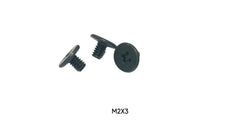 M2 x 3mm Screws for Dell XPS 13 9340 Base Cover SSD Shield 10-Pack Black
$4.99
M2 x 3mm Screws for Dell XPS 13 9340 Base Cover SSD Shield 10-Pack Black
$4.99 -
10x M2 x 3mm Phillips Screws for Lenovo ThinkPad X131e Chromebook WiFi SSD
$4.99
-
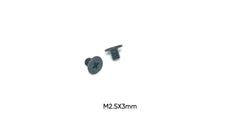 25x M2.5 x 3mm Phillips Screws for Acer Nitro 5 SSD M.2 WiFi Card
$5.99
25x M2.5 x 3mm Phillips Screws for Acer Nitro 5 SSD M.2 WiFi Card
$5.99 -
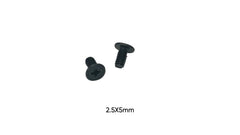 M2.5 x 5mm Screws Compatible with Dell XPS 14 9440 Display Assembly 10-Pack
$4.99
M2.5 x 5mm Screws Compatible with Dell XPS 14 9440 Display Assembly 10-Pack
$4.99 -
 M2.5 x 5mm Phillips Wafer Head Screw for Action Camera Protective Housing - Pack of 50 Black
$4.79 each · min. 2
M2.5 x 5mm Phillips Wafer Head Screw for Action Camera Protective Housing - Pack of 50 Black
$4.79 each · min. 2
-
 ASUS ROG Strix G15 G513R Replacement Screws Sold Individually – M1.6 x 3mm, M2 x 2.5mm, M2 x 3mm, M2.5 x 6mm Phillips Wafer Head, Black
$0.10Choose size
ASUS ROG Strix G15 G513R Replacement Screws Sold Individually – M1.6 x 3mm, M2 x 2.5mm, M2 x 3mm, M2.5 x 6mm Phillips Wafer Head, Black
$0.10Choose size -
ASUS ROG Strix G17 G713 Replacement Screws Sold Individually – M1.6 x 3mm, M2 x 2.5mm, M2 x 3mm, M2.5 x 6mm Phillips Wafer Head, Black
$0.10Choose size
-
Dell Inspiron 15 3520 Replacement Screws Sold Individually – M2 x 3mm, M2 x 5mm, M2.5 x 5mm, M3 x 3mm Phillips Wafer Head, Black
$0.10Choose size
More in Laptops & PCs
The same screw also fits
Devices whose records share a thread with Dell Latitude 3480, closest length match first.
- Lenovo ideapad S530-13IML also M2 × 3 mm
- Lenovo FLEX-15IIL also M2 × 3 mm
- Lenovo Flex-15IML also M2 × 3 mm
- Lenovo 3rd Gen also M2 × 3 mm
- Generic M.2 SSD mounting standard used in tablet/laptop motherboards also M2 × 3 mm
- HP Pavilion dv6500 Entertainment also M2 × 3 mm
- Lenovo IdeaPad 14m 4G 2021 DM also M2.5 × 5 mm
- Lenovo ThinkPad P52 also M2 × 3 mm
Questions about Dell Latitude 3480 screws
- What size screw does Dell Latitude 3480 use?
- M1.6 × 2 mm for display (qty 6); M2 × 3 mm for battery (qty 4); M2 × 3 mm for display (qty 1); M2 × 3 mm for fan (qty 2); M2 × 3 mm for hard drive (qty 2); M2 × 3 mm for power button (qty 1); M2 × 3 mm for system board (qty 3); M2 × 3 mm for touchpad (qty 5); M2 × 3 mm for wireless card (qty 1); M2.5 × 2.5 mm for heat sink (qty 4); M2.5 × 3 mm for display (qty 6); M2.5 × 5 mm for I/O board (qty 2); M2.5 × 5 mm for DC-in (qty 3); M2.5 × 8.5 mm for base cover (qty 1, captive); M3 × 3 mm for hard drive (qty 4).
- How long are the screws in Dell Latitude 3480?
- The records range from 2 to 8.5 mm depending on the position, so match each screw to its own hole.
- What is the thread pitch of an M1.6 screw?
- 0.35 mm (coarse), which is the standard pitch for M1.6 machine screws; a 0.2 mm fine pitch exists but is uncommon. The tap drill is 1.25 mm and the normal clearance hole is 1.8 mm.
- What screwdriver do I need for Dell Latitude 3480?
- The sources do not name the drive. For M1.6, Phillips heads normally take PH00 and Torx heads T4–T5; socket heads take a 1.5 mm hex key.
- Can I use an imperial screw instead of M1.6?
- No. Imperial look-alike: #1-72 UNF (1.85 mm) is larger; there is no true imperial equivalent. Use a true M1.6 screw so it does not cross-thread or strip the hole.
- Where can I buy replacement screws for Dell Latitude 3480?
- TechSpareWarehouse (our own store) lists M2 x 3mm, M2.5 x 3mm and M2.5 x 5mm, which match lengths in the records above.