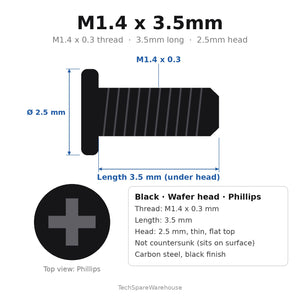
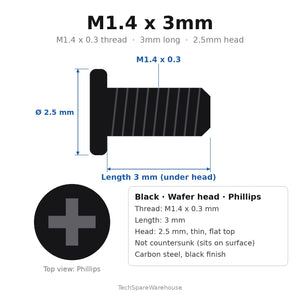
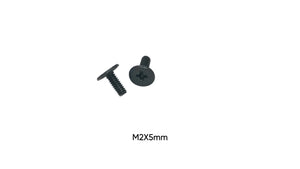
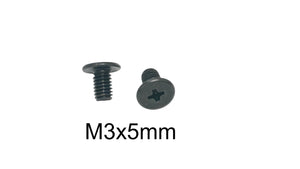
Quick answer: Common Micro Screw Sizes
- M1.2 Screws: The smallest commonly used screws in consumer electronics.
The World of Micro Screws
Micro electronics screws are the unsung heroes of modern technology. These ultra-small fasteners hold together everything from smartwatches to cameras, drones to hearing aids. Working with them requires patience, precision, and the right tools.
Common Micro Screw Sizes
M1.2 Screws
The smallest commonly used screws in consumer electronics. Found in:
- Smartwatches and fitness trackers
- Wireless earbuds and charging cases
- Compact cameras and action cams
- Hearing aids and medical devices
M1.4 Screws
A middle ground for small electronics:
- Smartphone internal components
- Tablet assemblies
- Compact drones
- Wearable electronics
M1.6 Screws
The largest of the micro category:
- Laptop touchpads and small brackets
- Camera lens assemblies
- Portable gaming devices
- RC electronics
Installation Guide
Essential Tools:
- Precision screwdriver set with magnetic tips
- Magnifying glass or jeweler's loupe
- Anti-static mat and wrist strap
- Tweezers for handling screws
- Good lighting - preferably LED task light
Installation Process:
- Organize your workspace - use a white surface to see tiny screws
- Use a magnetic parts tray or adhesive tape to hold screws
- Handle screws with tweezers, not fingers
- Align screw carefully before applying any pressure
- Turn counterclockwise first until you feel a click (finding the thread)
- Then turn clockwise gently until snug
- Never force - if it doesn't turn easily, realign
Common Repair Scenarios
Smartwatch Repair: Battery replacements and screen repairs require removing 4-8 M1.2 screws. These are extremely easy to lose.
Camera Disassembly: Lens assemblies use M1.4 and M1.6 screws in precise locations. Document screw positions before removal.
Drone Repairs: Frame and motor mounting often uses M1.6 screws that vibrate loose over time.
Earbud Repairs: Charging case hinges and internal assemblies use M1.2 screws that strip easily.
Product Selection Tips
- Buy assortment kits - you'll need multiple sizes
- Stainless steel resists corrosion in wearables
- Black oxide screws match most electronics aesthetics
- Keep extras - these screws are nearly impossible to find individually
- Consider thread-locking screws for vibration-prone applications
Working with Micro Screws: Best Practices
Preventing Loss:
- Work over a white towel or mat
- Use a magnetic parts tray
- Take photos during disassembly
- Work in a draft-free area
Avoiding Damage:
- Use properly sized screwdrivers - too large will slip and strip heads
- Apply minimal pressure - these screws require very little torque
- If a screw won't turn, stop and reassess
- Never use power tools on micro screws
Compatibility Information
Wearables: Apple Watch, Fitbit, Garmin, Samsung Galaxy Watch
Cameras: GoPro, DJI action cams, Sony compact cameras, Canon point-and-shoot
Drones: DJI Mini series, compact racing drones, toy drones
Audio: AirPods cases, wireless earbud charging cases, portable speakers
Gaming: Nintendo Switch components, portable gaming devices, controllers
Troubleshooting
Stripped Screw Head: Use a rubber band between screwdriver and screw for extra grip, or try a slightly larger driver.
Stuck Screw: Apply gentle heat (hair dryer) to expand metal slightly, or use penetrating oil sparingly.
Lost Screw: Measure the hole diameter and depth carefully to find the correct replacement.