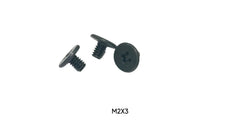
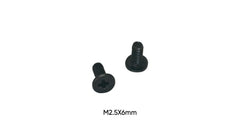
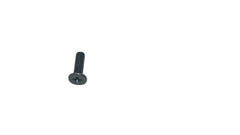
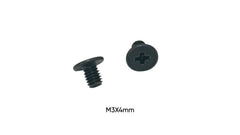
Quick answer: the number is the thread's outside diameter in millimetres. M2 = 2.0mm, M2.5 = 2.5mm, M3 = 3.0mm. Their standard (coarse) pitches are 0.4mm, 0.45mm and 0.5mm. The three are not interchangeable. An M2 spins loose in an M2.5 hole, an M2.5 strips an M2 hole, and an M3 won't start in either. Measure the thread with calipers, then measure the length under the head.
M2 vs M2.5 vs M3 at a glance
| M2 | M2.5 | M3 | |
|---|---|---|---|
| Thread outside diameter | 2.0mm | 2.5mm | 3.0mm |
| Standard (coarse) pitch | 0.4mm | 0.45mm | 0.5mm |
| Where you'll find it (from our listings) | M.2 SSDs, laptop internals, keyboards such as the Wooting 80HE, FPV drones | Raspberry Pi 5 cases and HATs, laptop bottom covers and motherboards, turntable headshells, Eufy cameras | 2.5" SATA SSDs and hard drives, Ring and Google Nest doorbell terminals, XLR connectors, camera cages |
| Lengths we stock | 2, 2.5, 3, 4, 5, 6 and 8mm | 3 to 14mm | 3 to 14mm |
| Shop | M2 for SSDs, laptop internal | Laptop internal screws | HDD caddy screws, smart home |
How to tell them apart
- Calipers (best): measure across the outside of the threads. About 1.9–2.0mm is M2, 2.4–2.5mm is M2.5, and 2.9–3.0mm is M3. Threads read slightly under nominal, so round up to the nearest size.
- Compare with a known screw. Hold the mystery screw thread-to-thread against one you know, such as an M.2 SSD screw (M2) or a 2.5" drive screw (M3). A 0.5mm difference is easy to see side by side.
- Test in a known hole, gently. If it turns two full turns by hand without force, the thread matches. If it wobbles, it is too small. If it binds immediately, it is too big. Stop there, because forcing it ruins the hole.
- Use a thread gauge to read the pitch if you have one: 0.4mm for M2, 0.45mm for M2.5, 0.5mm for M3.
A ruler alone won't separate M2 from M2.5. The difference is half a millimetre, so use calipers or a reference screw.
Measuring the length
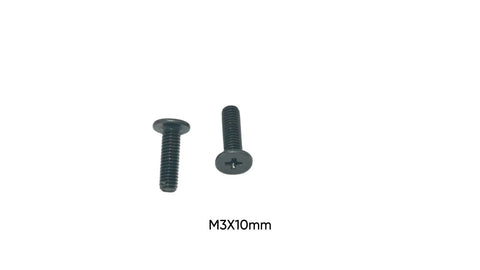
Metric screw length is measured from under the head to the tip for flat-topped heads (pan, wafer and the low-profile "flat head" style most laptop screws use). For countersunk heads, the cone-shaped ones that sit flush, it is the overall length. Our listings give the length under the head. If you are between lengths in a laptop, match the original rather than going longer. An extra millimetre can press into a board or punch through a thin cover.
Head size reference
Head size depends on the head style, not just the thread, so it is a poor way to identify a screw. For reference, standard ISO head diameters are:
| Head style (standard) | M2 | M2.5 | M3 |
|---|---|---|---|
| Countersunk flat head (ISO 7046) | 3.8mm | 4.7mm | 5.5mm |
| Pan head (ISO 7045) | 4.0mm | 5.0mm | 5.6mm |
Laptop and electronics screws often use thin wafer heads that don't follow these sizes, so measure the head on your original screw.
Imperial screws that look similar
- #2-56 is about 2.2mm, close to M2 but with a different pitch.
- #4-40 is about 2.8mm, between M2.5 and M3.
- 6-32 is about 3.5mm. It is used in desktop PC cases and 3.5" hard drives, and is often confused with M3.
None of these thread properly into a metric hole. If a screw "almost" fits, it is probably one of these.
Coarse vs fine pitch
The pitches above are the standard coarse pitches, and nearly every electronics screw uses them. ISO also defines fine-pitch versions (M2 x 0.25, M2.5 x 0.35, M3 x 0.35), but they are rare outside specialist hardware. If a screw has the right diameter but still binds after half a turn, a different pitch is the likely cause. Compare the thread spacing against a known screw before forcing anything.
Which driver?
Small Phillips heads round out quickly with the wrong bit. Use the bit that fills the recess completely. That is typically PH00 or PH0 for M2 and M2.5, and PH0 or PH1 for M3. If the bit wobbles in the head, it is too small.
Popular packs
| Screw | Pack | Order |
|---|---|---|
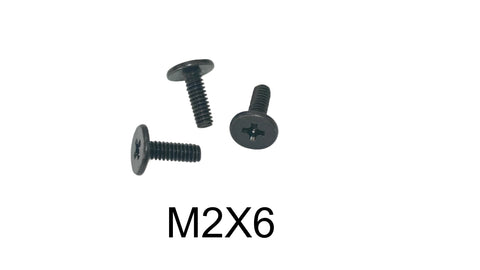
| M2 x 3mm (M.2 SSD standard) | 50-pack | View |
| M2 x 4mm | 10-pack | View |
| M2.5 x 6mm (laptop bottom cover) | Set | View |
| M2.5 x 8mm (Raspberry Pi 5 case) | 10-pack | View |
| M3 x 4mm (2.5" SATA SSD) | 10-pack | View |
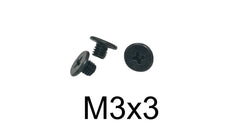
| M3 x 3mm (laptop HDD caddy) | 50 or 100 pack | View |
For identifying the M2 thread on its own, including the common lengths, see M2 screw identification and measurement.
FAQ
Is M2 the same as M.2?
No. M.2 (with a dot) is the SSD and card form factor. M2 (no dot) is a 2mm metric thread. The screw that holds an M.2 SSD happens to be an M2 thread, which is why the two get mixed up.
What does M2.5 mean on a screw?
A metric thread with a 2.5mm outside diameter, normally with a 0.45mm pitch. The number after the "x" is the length, so M2.5 x 6 is 6mm long.
Can I use an M2.5 screw instead of M2?
No. It is half a millimetre too big and will strip or crack an M2 hole. Going the other way, an M2 in an M2.5 hole won't grip.
What is the difference between M2 and M3 screws?
A full millimetre of diameter (2.0mm vs 3.0mm) and a finer pitch (0.4mm vs 0.5mm). M3 is the larger screw you'll find on 2.5" drives. M2 is the small screw for M.2 SSDs and laptop internals.
What are common M2 screw lengths for laptops?
2, 2.5, 3, 4 and 5mm are the most common lengths in the laptop listings we carry. M2 x 3mm is the most common single size.
Do you ship fast?
Free US shipping on orders of $10 or more, and orders are processed and shipped within 24 hours (Monday–Saturday).