Quick answer: a 6-32 screw is about 3.5mm across with a coarse thread (32 threads per inch, about 0.79mm per thread). An M3 screw is 3.0mm across with a fine 0.5mm pitch. In a typical PC, 6-32 is used for 3.5" hard drives, many case side panels, power supplies and most motherboard standoffs. M3 is used for 2.5" SSDs and drives, optical drives and some small brackets. They are not interchangeable: forcing one into the other strips the thread.
Anyone who has emptied a box of PC screws onto a desk knows the problem: two sizes that look the same at a glance. Here is how to separate them in under a minute.
The numbers side by side
| 6-32 UNC | M3 x 0.5 | |
|---|---|---|
| Thread system | Imperial (Unified) | Metric (ISO) |
| Major diameter | 0.138" (about 3.5mm) | 3.0mm |
| Thread spacing | 32 per inch (about 0.79mm pitch) | 0.5mm pitch (about 51 per inch) |
| Look | Visibly coarser, deeper threads | Finer, closer threads |
| Typical driver | PH2 on case screws | PH1 or PH0, depending on the head |
Three quick ways to tell them apart
1. Calipers
Measure across the threads. Around 3.4 to 3.5mm is 6-32. Around 2.9 to 3.0mm is M3. This is the most reliable test.
2. Count the threads
Lay the screw against a ruler. Over 5mm of thread, an M3 screw has 10 crests and a 6-32 has about 6. The difference is easy to see once you look.
3. The known-hole test
Try the screw by hand in a hole you know, such as a 2.5" SSD (M3) or a 3.5" hard drive (6-32). It should turn smoothly with fingers for at least two full turns. If it binds after half a turn, stop. It's the wrong thread.
Which PC parts use which
| Part | Usual thread |
|---|---|
| 3.5" hard drives | 6-32 |
| 2.5" SSDs and laptop drives | M3 |
| Optical (DVD/Blu-ray) drives | M3 |
| Motherboard standoffs into the case | Most often 6-32 |
| Motherboard to standoff | Most often 6-32, some cases use M3 |
| Power supply to case | 6-32 |
| Case fans | Self-tapping fan screws (a different thread again) |
| M.2 SSDs | M2 (smaller still) |
These are typical patterns rather than rules, and individual cases differ. When in doubt, use the hand test above. Our guides to hard drive screw sizes and installing motherboard standoffs go into more detail.
What happens if you mix them up
- 6-32 into an M3 hole: the 6-32 is too big. It may start, then jam. Forcing it cuts new, wrong threads and ruins the hole, often in a drive you can't easily repair.
- M3 into a 6-32 hole: the M3 is too small. It may grip one thread and feel tight, then strip out. It can also sit crooked and rattle loose.
- A standoff with mismatched threads can wobble and let the board flex, which risks a short or a cracked board.
Fixing a damaged thread
If a hole has been cross-threaded:
- Clean it out with the correct-size screw, turning gently and backing off often.
- If the thread is in a case panel or bracket, a matching tap can recut it.
- Drive housings are best left alone. Use the remaining good holes rather than forcing it.
For a screw whose head has stripped instead, see how to remove a stripped screw.
Sorting a mixed bag
- Separate by head first. Large-head, coarse-threaded screws with a PH2 recess are usually 6-32 case screws.
- Then test the remaining fine-thread screws in a known M3 hole.
- Label small bags: "6-32 HDD", "M3 SSD", "M2 M.2".
Where to get M3 drive screws
For 2.5" drives and caddies, browse our HDD brackets and caddy screws. For M.2 drives, see M.2 SSD screws. For full sets, our laptop screw kits bundle common sizes.
Why PCs use two thread systems
The PC case grew out of imperial standards. Early desktop cases, 3.5" drives and power supplies settled on 6-32, and the ATX form factor kept it. Smaller parts, especially 2.5" drives and slim optical drives that came from laptops, used metric M3. Modern builds simply inherited both. That's why one case can need both screw types, and why the bag of screws that came with your case usually holds a few of each.
Head shapes give a clue
- Large hex-washer head with a PH2 recess: almost always a 6-32 case or PSU screw.
- Small flat or pan head, fine thread: usually M3 for 2.5" drives or optical drives.
- Thumbscrews: usually 6-32 on side panels and expansion slots.
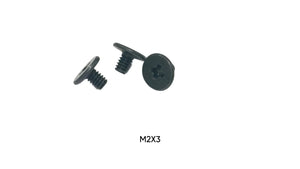
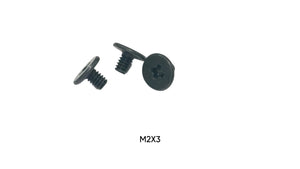
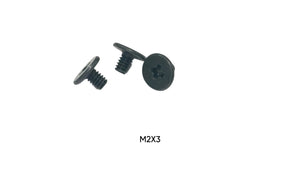
- Very small screws with a PH0 or PH00 recess: probably M2, for M.2 drives or laptop parts. See our M2 vs M2.5 vs M3 guide.
Head shape is a hint, not proof. Confirm with calipers or the hand test.
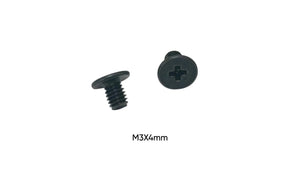
Need metric drive screws by size? Browse all M3 screws and M3 x 4mm screws.
FAQ
Is 6-32 the same as M3?
No. 6-32 is about 3.5mm with a coarse imperial thread. M3 is 3.0mm with a fine metric thread.
Are motherboard screws 6-32 or M3?
Most ATX cases use 6-32 for the motherboard, but some use M3. Test by hand before tightening.
What screws do 2.5" SSDs use?
M3 screws, usually short ones of about 3 to 4mm.
Will an M3 screw fit a 6-32 standoff?
It will be loose and won't hold reliably. Use the matching thread.
How do I measure thread pitch without a gauge?
Count crests over a known length on a ruler. Ten crests in 5mm is 0.5mm pitch (M3). About six in 5mm is 32 TPI (6-32).
Can I use an M3 screw in a 3.5" hard drive?
No. 3.5" drives use 6-32 holes, so an M3 screw will be loose and won't hold the drive securely.