Dell Pro 14 Plus portable monitor (P1425) screw size
M1.6 / M2 · 2.5 to 4 mm long
Dell Pro 14 Plus portable monitor (P1425) takes M1.6 and M2 metric screws in lengths from 2.5 to 4 mm.
There are 6 separate fitment records for it, including main board mounting screws (5) (M1.6), power button retention screw (M1.6) and function button retention screws (M1.6), plus 3 more in the table below.
6 of the 6 records are marked confirmed, drawn from 1 source (Dell P1425 Service Manual Rev A00).
For reference, M1.6 is 1.6 mm across the threads at 0.35 mm pitch. The imperial size people confuse it with: #1-72 UNF (1.85 mm) is larger; there is no true imperial equivalent.
Dell Pro 14 Plus portable monitor (P1425) screw specifications
One row per fitment record. Head, drive are shown only where the source states them; pitch is the ISO coarse pitch for the thread.
| Thread | Length | Pitch | Head | Drive | Where it goes | Status |
|---|---|---|---|---|---|---|
| M1.6 | 2.5 mm | 0.35 mm | not stated | not stated | main board mounting screws (5) | Confirmed |
| M1.6 | 2.5 mm | 0.35 mm | not stated | not stated | power button retention screw | Confirmed |
| M1.6 | 2.5 mm | 0.35 mm | not stated | not stated | function button retention screws | Confirmed |
| M2 | 4 mm | 0.4 mm | not stated | not stated | bottom base cover screws (6) | Confirmed |
| M2 | 3 mm | 0.4 mm | not stated | not stated | top base cover screws | Confirmed |
| M2 | 3 mm | 0.4 mm | not stated | not stated | hinge-to-cover screws (6 per side) | Confirmed |
Fitment records and sources
main board mounting screws (5)
pitch 0.35 mm · tap 1.25 mm · clearance 1.8 mm · PH00 / Torx T4–T5
power button retention screw
pitch 0.35 mm · tap 1.25 mm · clearance 1.8 mm · PH00 / Torx T4–T5
function button retention screws
pitch 0.35 mm · tap 1.25 mm · clearance 1.8 mm · PH00 / Torx T4–T5
bottom base cover screws (6)
pitch 0.4 mm · tap 1.6 mm · clearance 2.4 mm · PH0 / Torx T6
top base cover screws
pitch 0.4 mm · tap 1.6 mm · clearance 2.4 mm · PH0 / Torx T6
hinge-to-cover screws (6 per side)
pitch 0.4 mm · tap 1.6 mm · clearance 2.4 mm · PH0 / Torx T6
How to check the screw before you buy
- VESA holes are threaded inserts in the back cover; if a screw stops early, back it out rather than forcing it, because a bottomed-out screw can crack the panel housing.
- Diameter: across the threads an M1.6 screw measures about 1.6 mm with calipers (usually a hair under). This device also uses M2, so measure each screw rather than assuming they match.
- Pitch: 0.35 mm from one thread crest to the next (28.57 crests per centimetre). A thread pitch gauge or the pitch-gauge tool settles it in seconds.
- Length: measure from under the head to the tip for pan, button, wafer and cap heads; countersunk (flat) heads are measured overall.
- The records span 2.5–4 mm, which means different positions take different lengths — match each hole to its own screw.
- Driver: the source does not name the drive. Standard M1.6 heads take PH00 for Phillips and T4–T5 for Torx, and a 1.5 mm hex key for socket heads; a bit that fits loosely will cam out and strip the head.
- Tightening: no device-specific torque is published in these records. The site's general figure for M1.6 is about 12-20 N·cm into metal threads and 6-10 N·cm into plastic bosses; snug it up and stop.
Common mix-ups with M1.6 / M2
- M1.6 is the most common laptop-internal micro screw after M2 — Dell XPS keyboards specifically call out M1.6 x 1.5mm, and generic M2 substitutes strip the bracket.
- Headphone hinge screw sizes are usually quoted from screwdriver bit size, not an actual thread spec - measure before buying.
- M2 (2.00mm, 0.4mm pitch) is NOT the same as #2-56 UNC (2.18mm) — close enough to cross-thread and strip if forced.
Buy these screws at TechSpare Warehouse
In stock and shipped from South Carolina. Our black screws are Phillips wafer head (low profile); match the head style and length to the original before you order.
-
 M2 x 4mm Phillips Wafer Head Machine Screws Black 50-Pack Laptop SSD Repair
$4.49 each · min. 2
M2 x 4mm Phillips Wafer Head Machine Screws Black 50-Pack Laptop SSD Repair
$4.49 each · min. 2
-
M2 x 4mm Screws for Dell Latitude 5530 SSD Type-C Bracket 10-Pack Black
$4.99
-
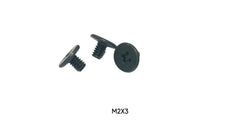 M2 x 3mm Screws for Dell XPS 13 9340 Base Cover SSD Shield 10-Pack Black
$4.99
M2 x 3mm Screws for Dell XPS 13 9340 Base Cover SSD Shield 10-Pack Black
$4.99 -
10x M2 x 3mm Phillips Screws for Lenovo ThinkPad X131e Chromebook WiFi SSD
$4.99
-
Dell Latitude 5530 Replacement Screws Sold Individually – M2 x 3mm, M2 x 4mm, M2.5 x 5mm Phillips Wafer Head, Black
$0.10Choose size
-
 HP EliteBook 840 G8 Replacement Screws Sold Individually – M1.6 x 3mm, M2 x 2.5mm, M2 x 4mm, M2.5 x 4mm Phillips Wafer Head, Black
$0.10Choose size
HP EliteBook 840 G8 Replacement Screws Sold Individually – M1.6 x 3mm, M2 x 2.5mm, M2 x 4mm, M2.5 x 4mm Phillips Wafer Head, Black
$0.10Choose size -
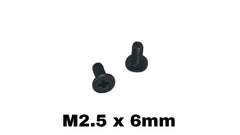 ASUS ROG Strix G15 G513R Replacement Screws Sold Individually – M1.6 x 3mm, M2 x 2.5mm, M2 x 3mm, M2.5 x 6mm Phillips Wafer Head, Black
$0.10Choose size
ASUS ROG Strix G15 G513R Replacement Screws Sold Individually – M1.6 x 3mm, M2 x 2.5mm, M2 x 3mm, M2.5 x 6mm Phillips Wafer Head, Black
$0.10Choose size -
ASUS ROG Strix G17 G713 Replacement Screws Sold Individually – M1.6 x 3mm, M2 x 2.5mm, M2 x 3mm, M2.5 x 6mm Phillips Wafer Head, Black
$0.10Choose size

More in Displays, TVs & Mounts
The same screw also fits
Devices whose records share a thread with Dell Pro 14 Plus portable monitor (P1425), closest length match first.
- HP P22 G5 also M2 × 4 mm
- HP P22h G4 also M2 × 3 mm
- HP P22h G5 also M2 × 4 mm
- HP V24ie G5 also M2 × 3 mm
- Google Nest / Home speakers also M2 × 4 mm
- HP P24h G4 also M2 × 3 mm
- HP V22i G5 also M2 × 3 mm
- Crucial / Western Digital M.2 retail kits also M2 × 3 mm
Questions about Dell Pro 14 Plus portable monitor (P1425) screws
- What size screw does Dell Pro 14 Plus portable monitor (P1425) use?
- M1.6 × 2.5 mm for main board mounting screws (5); M1.6 × 2.5 mm for power button retention screw; M1.6 × 2.5 mm for function button retention screws; M2 × 4 mm for bottom base cover screws (6); M2 × 3 mm for top base cover screws; M2 × 3 mm for hinge-to-cover screws (6 per side).
- How long are the screws in Dell Pro 14 Plus portable monitor (P1425)?
- The records range from 2.5 to 4 mm depending on the position, so match each screw to its own hole.
- What is the thread pitch of an M1.6 screw?
- 0.35 mm (coarse), which is the standard pitch for M1.6 machine screws; a 0.2 mm fine pitch exists but is uncommon. The tap drill is 1.25 mm and the normal clearance hole is 1.8 mm.
- What screwdriver do I need for Dell Pro 14 Plus portable monitor (P1425)?
- The sources do not name the drive. For M1.6, Phillips heads normally take PH00 and Torx heads T4–T5; socket heads take a 1.5 mm hex key.
- Can I use an imperial screw instead of M1.6?
- No. Imperial look-alike: #1-72 UNF (1.85 mm) is larger; there is no true imperial equivalent. Use a true M1.6 screw so it does not cross-thread or strip the hole.
- Where can I buy replacement screws for Dell Pro 14 Plus portable monitor (P1425)?
- TechSpareWarehouse (our own store) lists M2 x 4mm and M2 x 3mm, which match lengths in the records above.