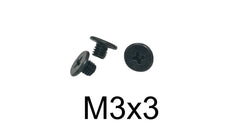
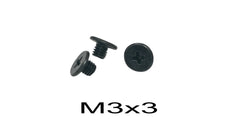
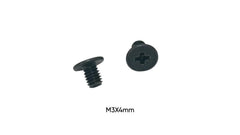
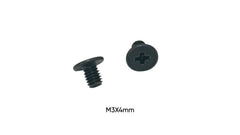
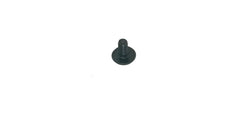
Quick answer: 2.5" hard drives and 2.5" SATA SSDs use M3 screws. In laptop caddies and drive brackets, the side screws are almost always M3 x 3mm or M3 x 4mm. 3.5" desktop hard drives use a different, larger thread, 6-32 UNC. The two look alike but are not interchangeable. The table below lists the exact screw for each drive bay we stock parts for.
Step 1: Which drive do you have?
- 2.5" drive (about 2.75" wide): laptop hard drives, SATA SSDs, many NAS and security hubs. It takes M3 screws in the side and bottom holes.
- 3.5" drive (about 4" wide): desktop hard drives. It takes 6-32 UNC screws. We don't stock 6-32, so take a sample screw to a hardware store, or use the screws that came with your case.
- M.2 SSD (a flat stick that plugs into a slot): not a "hard drive screw" at all. It uses one tiny M2 screw. See the SSD screw size by device guide.
Hard drive screw sizes by device
| Drive bay or device | Screw size | Order |
|---|---|---|
| Laptop HDD/SSD caddy, side screws | M3 x 3mm | 50 or 100 pack, single |
| Laptop HDD/SSD caddy, thicker bracket | M3 x 4mm | 10-pack, single |
| 2.5" SATA SSD/HDD, side mount | M3 x 3mm or M3 x 4mm | M3 x 4mm 10-pack, M3 x 3mm single, M3 x 4mm single |
| Countersunk holes in a tray or bracket | M3 x 4mm countersunk | 10-pack |
| Samsung 850 / 860 / 870 SATA SSD | M3 x 4mm | 10-pack |
| Synology NAS, 2.5" SSD in a drive canister | M3 x 3mm | 10-pack |
| Synology NAS, installing an SSD | M3 x 4mm | 10-pack |
| HP desktop, 2.5" SATA drive | M3 x 3mm | 10-pack |
| Eufy HomeBase 3 (S380) drive | M3 x 3mm | 10-pack |
| MacBook Pro A1278 / A1286 / A1297 (unibody) drive | Torx T6 drive screws, 4 per drive | 10 sets (40 screws), plus the drive bracket (A1278/A1286) |
Everything here is also in HDD Brackets & Caddies. Single screws are sold by the screw. For a full drive (four screws) plus spares, the 10-packs are the easy choice.
M3 x 3mm or M3 x 4mm?
The thread is the same, M3. Only the length changes, and the right length depends on how thick the caddy or bracket wall is.
- Thin sheet-metal laptop caddies usually take M3 x 3mm.
- Thicker brackets, trays and NAS canisters often take M3 x 4mm.
- If you still have one original screw, measure it. It is the best reference.
Don't guess long. A screw that is too long bottoms out in the drive's threaded hole before it clamps the bracket, so the drive stays loose. Going 1mm too long can also push against the drive's circuit board on bottom-mount holes.
How to measure a hard drive screw
- Thread diameter: with calipers, measure across the outside of the threads. About 3.0mm means M3. About 3.5mm, with visibly coarser threads, means 6-32 (a 3.5" drive screw).
- Length: measure from under the head to the tip for a flat-topped (pan or wafer) head. Measure the overall length for a countersunk head.
- Head: note whether it is flat-topped or countersunk (cone-shaped under the head). Countersunk holes need a countersunk screw to sit flush.
Our M2 vs M2.5 vs M3 guide explains how to tell the small metric sizes apart without a thread gauge.
How many screws do you need?
A 2.5" drive in a laptop caddy normally uses four side screws, two per side, plus one or two screws that hold the caddy to the laptop. A MacBook Pro unibody drive uses four T6 drive screws. Desktop trays and NAS canisters vary from two to four. Count the empty holes before you order, and add a couple of spares. These screws are small, and a dropped one tends to disappear inside the chassis.
Swapping a laptop hard drive for an SSD
- Remove the laptop's bottom cover and disconnect the battery if your model allows it.
- Remove the screws holding the caddy, then slide the drive out of its connector.
- Remove the side screws that hold the old drive in the caddy (usually four M3 x 3mm).
- Fit the 2.5" SSD into the same caddy and refit the side screws. 2.5" SSDs use the same M3 side holes as 2.5" hard drives.
- Slide the caddy back into the connector and refit the caddy screws.
If the caddy itself is missing, check the HDD caddy upgrade guide.
Tips that save a second order
- Snug is enough. M3 threads in aluminium drive frames strip easily, so stop as soon as the screw seats. Our torque guide explains how tight is tight enough.
- Use a driver that fills the recess. A worn or undersized Phillips bit rounds the head. MacBook drive screws need a T6 Torx driver.
- Start every screw by hand. If it doesn't turn easily for the first two turns, it is cross-threaded or it is the wrong thread.
FAQ
What size screws does a 2.5" hard drive use?
M3, usually M3 x 3mm or M3 x 4mm, depending on the caddy or bracket.
Are SSD screws and hard drive screws the same?
For 2.5" SATA SSDs, yes. They use the same M3 mounting holes as 2.5" hard drives. M.2 SSDs are different and use an M2 screw.
What screws does a 3.5" hard drive use?
6-32 UNC. It is a larger, coarser thread than M3, and the two should not be forced into each other's holes.
What is the hard drive caddy screw size?
Most laptop caddies use M3 x 3mm for the drive's side screws. Some thicker brackets use M3 x 4mm.
Do you ship fast?
Free US shipping on orders of $10 or more, and orders are processed and shipped within 24 hours (Monday–Saturday).