Quick answer: Find your device in the size table
| Device / use | Drive type | Screw size |
|---|---|---|
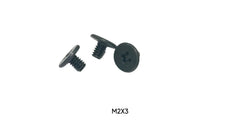
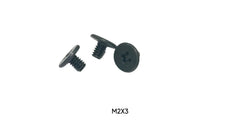
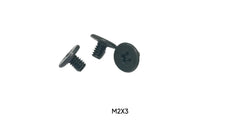
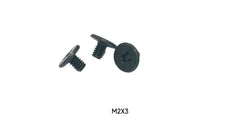
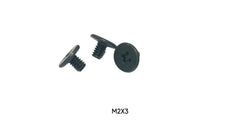
| Desktop motherboard M.2 slot | M.2 NVMe | M2 x 3mm |
| Desktop boards with taller standoffs | M.2 NVMe | M2 x 3mm + M2 x 4mm |
| M.2 heatsinks and console SSD shields | M.2 | M2 x 5mm |
| HP ProBook / Dell Precision laptops | M.2 | M2 x 3mm |
| Dell XPS 13 9340 (base cover / SSD shield) | M.2 | M2 x 3mm |
| Dell XPS 14 9440 | M.2 | M2 x 2.5mm |
An SSD screw is the cheapest part of an upgrade and the one most likely to stop it. New M.2 drives almost never include one, used laptops often arrive with it missing, and a 2.5" SATA drive moved into a new caddy or NAS needs its own set. This guide is about buying the right one the first time: which thread, which length, and which listing to order for the device in front of you.
Every size below comes from a product we actually stock, so the table doubles as a shopping list. If your device is not in it, the measuring steps further down will get you to the right size.
Step 1: Work out which kind of drive you have
There are two very different SSD formats, and they use different threads.
- M.2 (NVMe or M.2 SATA): a flat stick-shaped board that plugs into a slot. One small screw holds down the far end. This is almost always an M2 thread (2mm diameter, 0.4mm pitch). A few laptops, such as the Acer Nitro 5, use M2.5 instead.
- 2.5" SATA: a small enclosed box the size of a laptop hard drive. It is held by side screws (in a caddy, bracket or NAS tray) or bottom screws. These are M3 (3mm diameter, 0.5mm pitch).
M2 and M3 will not thread into each other, so getting this step right rules out half of the wrong orders.
Step 2: Find your device in the size table
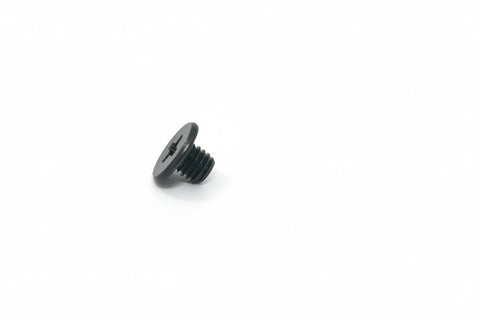
The sizes below are taken from our product titles, which in turn come from the screws each device uses. Lengths are for flat (countersunk) Phillips heads, measured from the top of the head to the tip.
| Device / use | Drive type | Screw size | Listing |
|---|---|---|---|
| Desktop motherboard M.2 slot | M.2 NVMe | M2 x 3mm | Single, 50-pack, 100-pack |
| Desktop boards with taller standoffs | M.2 NVMe | M2 x 3mm + M2 x 4mm | 8-screw M.2 install kit |
| M.2 heatsinks and console SSD shields | M.2 | M2 x 5mm | Single or 100-pack |
| HP ProBook / Dell Precision laptops | M.2 | M2 x 3mm | 50-pack |
| Dell XPS 13 9340 (base cover / SSD shield) | M.2 | M2 x 3mm | 10-pack |
| Dell XPS 14 9440 | M.2 | M2 x 2.5mm | 10-pack |
| Dell Latitude 5430 / 5530 (SSD bracket) | M.2 | M2 x 3mm | 5430, 5530 |
| HP EliteBook 840 G6 / 846 G6 | M.2 (SSD + Wi-Fi) | M2 x 2mm | 10-pack |
| HP EliteBook 840 G8 / G9 | M.2 | M2 x 2.5mm | G8, G9 |
| Lenovo ThinkPad T14 Gen 3 | M.2 | M2 x 2.5mm | 10-pack |
| Lenovo ThinkPad X131e Chromebook | M.2 (SSD + Wi-Fi) | M2 x 3mm | 10-pack |
| ASUS ROG Strix G15 G513R / G17 G713 | M.2 | M2 x 2.5mm | G15, G17 |
| Acer Nitro 5 | M.2 (SSD + Wi-Fi) | M2.5 x 3mm | 25-pack |
| 2.5" SATA SSD/HDD in a caddy or bracket | 2.5" SATA | M3 x 3mm or M3 x 4mm | 3mm, 4mm, 4mm 10-pack |
| Samsung 850 / 860 / 870 (2.5") | 2.5" SATA | M3 x 4mm | 10-pack |
| Synology NAS 2.5" bay | 2.5" SATA | M3 x 3mm or M3 x 4mm | 3mm 10-pack, 4mm 10-pack |
| HP desktop 2.5" SATA bay | 2.5" SATA | M3 x 3mm | 10-pack |
| Eufy HomeBase 3 (S380) | 2.5" SATA | M3 x 3mm | Single |
Notice how much laptop sizes vary: 2mm, 2.5mm and 3mm M2 screws all appear, and the Acer Nitro 5 breaks the M2 pattern entirely. That is why a "universal" M.2 screw is a gamble in a laptop, and why the model-specific packs exist.
Step 3: If your device isn't listed, measure
- Use a neighbouring screw. In many laptops the Wi-Fi card screw is the same size as the SSD screw, which is why several of the listings above cover both. Remove it and measure.
- Thread diameter: about 2mm across the threads is M2, 2.5mm is M2.5, 3mm is M3.
- Length: for flat heads, measure from the top of the head to the tip. Without the old screw, look at the standoff: a short standoff in a thin laptop usually means 2–2.5mm, a desktop standoff usually takes 3mm.
- Check the standoff is there. If the threaded post under the end of the M.2 slot is missing, no screw will work on its own. Our M.2 standoff guide explains what to look for.
Single, 10-pack or bulk?
Buy a single when you have lost exactly one screw and know the size. Buy the 10-pack for your model if you are not certain, since the model packs are matched to the device and leave spares for the Wi-Fi card. The 8-screw install kit suits PC builders who want both common desktop lengths on hand. 50- and 100-packs are for repair shops and IT departments servicing a fleet of identical machines.
Browse everything in one place in M.2 Screws for SSDs. If you are fitting a 2.5" drive, the caddies and brackets are in HDD Brackets & Caddies, and the other screws inside your laptop are in Laptop Internal Screws.
Installation tips that prevent a second order
- Fit the M.2 drive at an angle into the slot, press the far end down onto the standoff, then drive the screw. Don't use the screw to pull the board down.
- Stop when the screw is snug. M2 threads strip easily, and a stripped standoff is a bigger repair than a lost screw. Our torque guide covers how tight is tight enough.
- Use a PH0 or PH00 Phillips bit that fills the recess. A worn or oversized bit rounds the head.
- Keep the old screw. Even if it is damaged, it is the best reference for length.
Mounting a 2.5" drive rather than an M.2? Our hard drive screw size guide lists the M3 screw for each caddy and bay.
FAQ
What size screw does an M.2 NVMe SSD use?
On a desktop motherboard, usually M2 x 3mm. Laptops are more varied: M2 x 2mm, M2 x 2.5mm and M2 x 3mm are all common, and the Acer Nitro 5 uses M2.5 x 3mm.
Why didn't my new SSD come with a screw?
The screw is considered part of the motherboard or laptop, not the drive. More on that in why your NVMe SSD didn't come with a screw.
What screws does a 2.5" SATA SSD take?
M3. Side holes usually take M3 x 3mm or M3 x 4mm, depending on the caddy or tray thickness. Samsung 850/860/870 drives take M3 x 4mm.
Can I use a slightly longer screw?
On a desktop, 1mm extra is usually fine if it doesn't bottom out. In a laptop, a screw that is too long can press into the board or the bottom cover, so match the original length.
My device isn't in the table. What should I do?
Measure a neighbouring screw as described above, try the Screw Size Finder, or contact us with your model number.